 Free Chrome extension · Runs offline
Keep your WhatsApp chats private at work
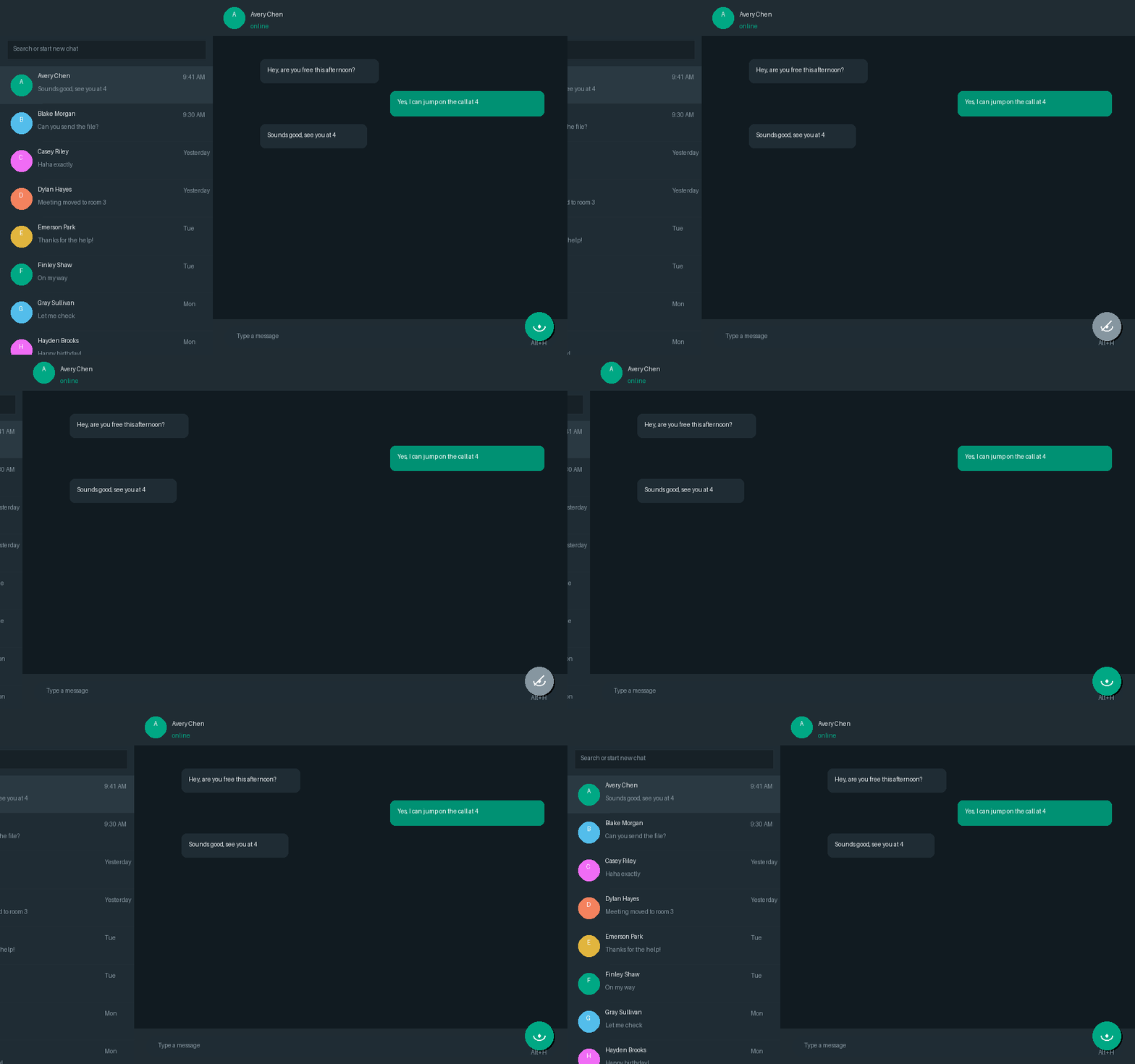
WhatPrivacy makes the entire WhatsApp Web chats panel vanish — like a ghost — while blurring stickers and your latest messages, so the person walking past your desk sees your work, not who you talk to.
Small extension, real privacy
10 hide & reveal motions
Ghostly vanish, ash fragments, smoke plume, glitch, curtain, blinds, swinging door, liquid ripple, spiral collapse or a clean slide — pick your favourite in the popup.
Applies both ways
Every style plays in reverse when the panel comes back, and a Preview button lets you watch it live before you commit.
Three ways to toggle
A hover handle on the divider between the chats panel and your conversation, the extension popup switch, or the Alt + H shortcut when someone walks in.
Blur stickers
Silly stickers stay blurred out while you read your chats at the office — hover one to peek, or switch it off in the popup.
Blur your latest messages
Blur the 20 most recent messages in an open conversation, so a passing glance can't read them. Hover any bubble to reveal it instantly.
Zero data collected
No accounts, no servers, no tracking. It only runs on web.whatsapp.com and never touches your messages.
Install in under a minute
- 1Unzip the downloaded file.
- 2Open chrome://extensions in Chrome, Edge, Brave or Arc.
- 3Enable Developer mode (top-right toggle).
- 4Click "Load unpacked" and select the unzipped folder.
- 5Open web.whatsapp.com and hit the toggle — or press Alt + H.
Questions
Does it work in other browsers?
Yes — any Chromium browser: Chrome, Edge, Brave, Arc and Opera.
Can my messages still be read?
The open conversation stays visible so you can keep working, and there are extras on top: blur all stickers, or blur your 20 most recent messages until you hover them. The chats list — names, previews and unread counts — is what vanishes.
Is it really free?
Completely. It runs entirely in your browser, so there is nothing to pay for and nothing to sign up for.
Stop sharing your inbox
Grab WhatPrivacy, load it once, and keep the chats list hidden whenever you need to.